Keep your RAM
for your work.
A terminal interface with a Rust playback helper. Built because the desktop app felt too heavy. The Linux comparison above includes the audio provider and terminal, because the whole setup is what matters.
 spotifytui.
Spotify was eating my RAM. I just wanted my playlists.
So I made a terminal player.
Linux x86_64 / Apple Silicon Mac · Premium setup required

Liked songs, playlists and a quick search.
Open a song. Hit Enter. Get back to whatever
you were doing.
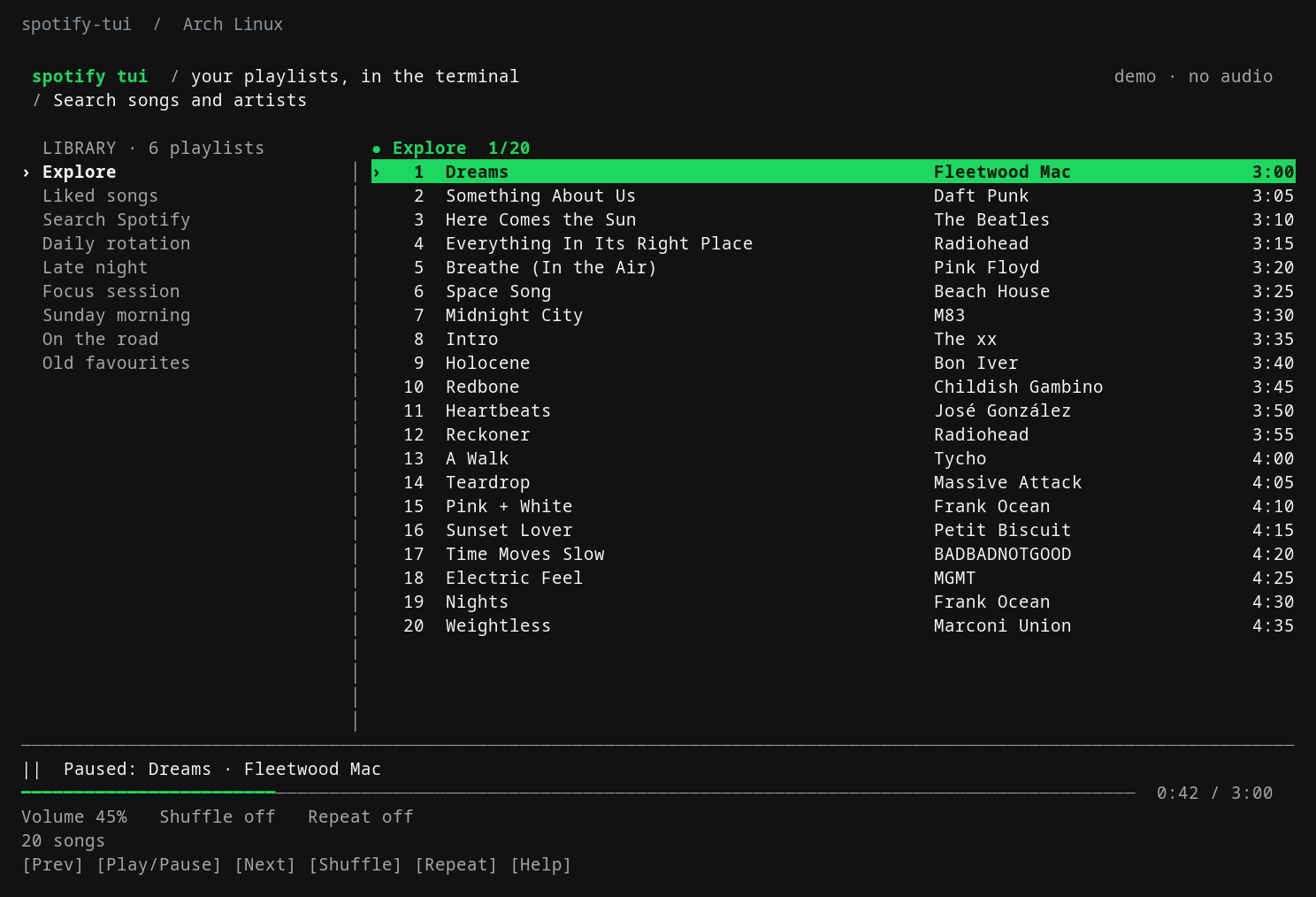
A smaller player could leave more RAM for whatever you’re working on. Here’s a rounded example of what that might look like. Your setup could be different.
See the measurements behind this example ↗Illustrative desktop footprint
Illustrative full setup, including audio, tray and terminal
Illustrative figures, rounded from one short Linux paused-library test.
Actual RAM use and savings vary with your machine, library and workload. These aren’t typical-use estimates or Mac measurements.
A terminal interface with a Rust playback helper. Built because the desktop app felt too heavy. The Linux comparison above includes the audio provider and terminal, because the whole setup is what matters.
Arrow keys move, Enter plays, Space pauses. Close the TUI and keep listening. The tray brings playback controls into your Linux panel.
The player checks for stable updates when it opens. Ctrl-U downloads, verifies and installs a matching Go and Rust pair, then restarts the app.
See the setup requirements, supported features and current limits. Read what works and what’s left ↗
Release notes ↗